
Create your organisation
Create your organisation, confirm your e-mail address and open your first room.
You can create a Konsaro organisation yourself, without an invitation. You enter three details, confirm your e-mail address, accept the Terms and Konsaro opens your first room. Your organisation starts with 90 days of Business, then continues on Free. No credit card is needed.
Before you start
- An e-mail address you can open now, work or personal. Temporary e-mail addresses cannot be used.
- The name of your organisation.
- If your company already uses Konsaro with single sign-on (SSO), you cannot create a second organisation with your company address. Ask your administrator for an invitation instead.
Create your organisation
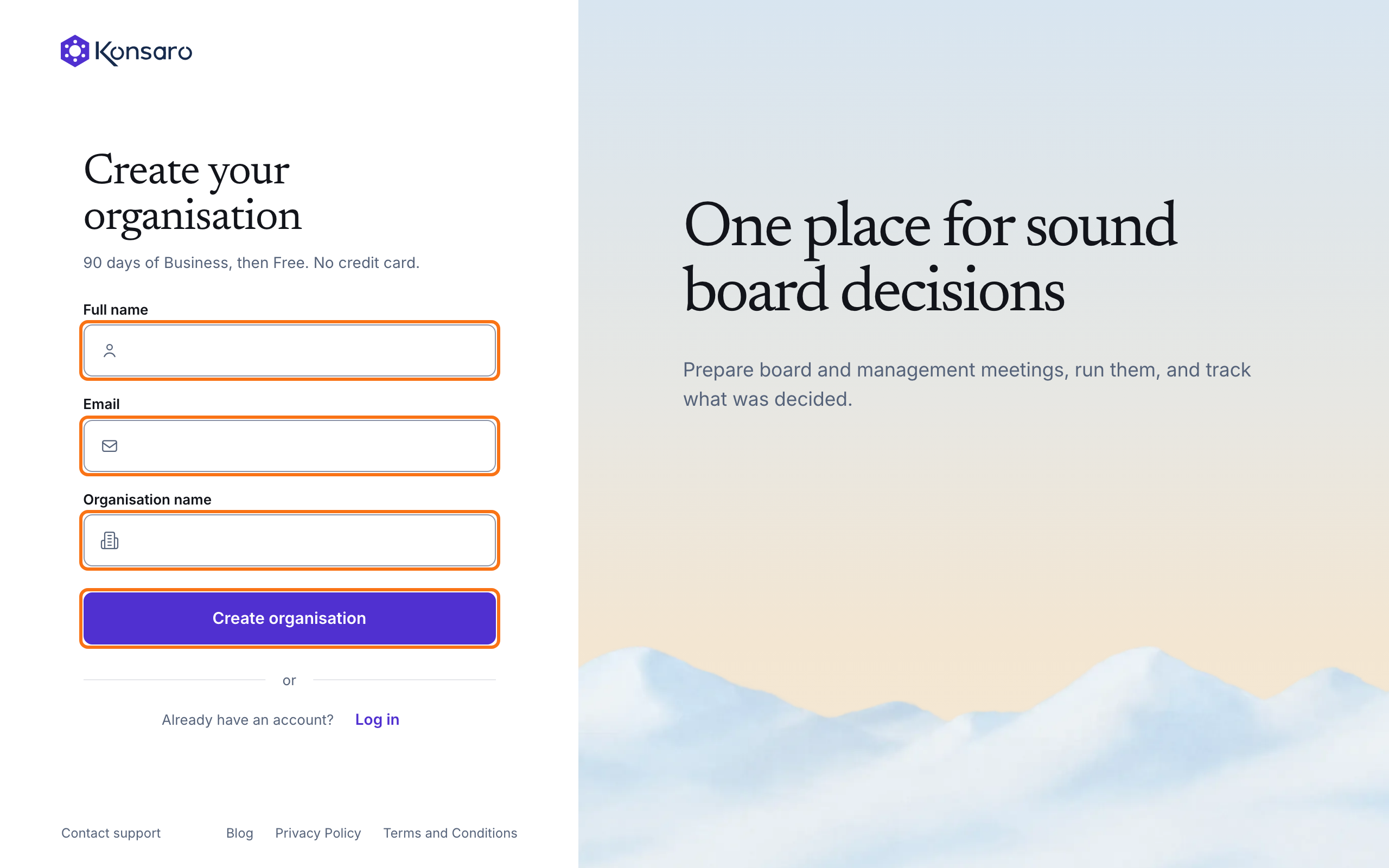
- Select Start for free on konsaro.com. Or, on the Konsaro Log in page, select Create a free organisation. The Create your organisation page opens.
- Enter your Full name, your Email and your Organisation name.
- Select Create organisation. Konsaro shows Check your inbox.
- Open the e-mail "Confirm your email to create your Konsaro organisation" and select Confirm email. The link is valid for 24 hours.
- On the Create your organisation page that opens, check your name and your organisation's name. Enter a Password of at least 12 characters and enter it again under Confirm password.
- Tick "I accept the Terms and Conditions on behalf of my organisation and have read the Privacy Policy." The two links open the documents in a new tab.
- Select Create organisation. Konsaro creates your organisation and its first room and opens the room's Meetings page.
Konsaro also sends you the e-mail "Your Konsaro organisation is ready". It names the date when the Business trial ends. If you start from the German website, the sign-up pages and e-mails are in German.
Messages you may see
- "Your organisation already uses Konsaro. Ask your administrator for an invitation." The address belongs to a company that signs in with SSO. You cannot create an organisation with it.
- "Please use your work or personal e-mail address. Temporary addresses can't be used." Enter a permanent e-mail address.
- "Too many sign-ups. Try again in … min." Wait the minutes shown and try again.
- "Sign-up is closed right now. Ask your administrator for an invitation." and "Creating an organisation is paused right now. Please try again later." Try again later.
- "You already created an organisation." Select Open Konsaro to continue.
Common questions
I already have a Konsaro account. Can I create another organisation?
Yes. Konsaro sends you the e-mail "You already have a Konsaro account". Select Log in. Your account stays as it is, and you only name the new organisation and accept the Terms.
What happens after 90 days?
Your organisation moves to the Free plan unless you upgrade. Nothing is deleted. Free plan and trial explains the limits.
Was this page helpful?