
Contact support
Where to turn first, how to send a report from the app or write to support, and how to check whether Konsaro is running.
Most questions about your board's meetings and papers are answered fastest by your own board office. For anything about Konsaro itself, such as something that does not work as expected, contact the Konsaro support team at Software Vision AG in Zurich. This page is open to everyone, including people who cannot sign in.
Who to ask first
- Your board office: a missing meeting or paper, an invitation, your role, or who can see an agenda item. They manage these for your board or committee.
- Your organisation admin or IT team: company sign-in (SSO), guest invitations and organisation-wide settings.
- The Konsaro support team: a problem that persists, an error message, or a question about how Konsaro works.
Send a report from inside Konsaro
If you are signed in, the Report form is the quickest way to reach us. It tells us who you are and which page you were on, so you do not have to explain it.
- Select Support at the bottom of the left sidebar.
- Select Report ("Send a report to our support team").
- Under Message, describe what you did, what you expected and what happened instead. Copy the exact wording of any error message.
- Optionally add up to 5 screenshots with Add screenshot, or select Paste from clipboard.
- Select Send. You see "Thanks — we received your report."
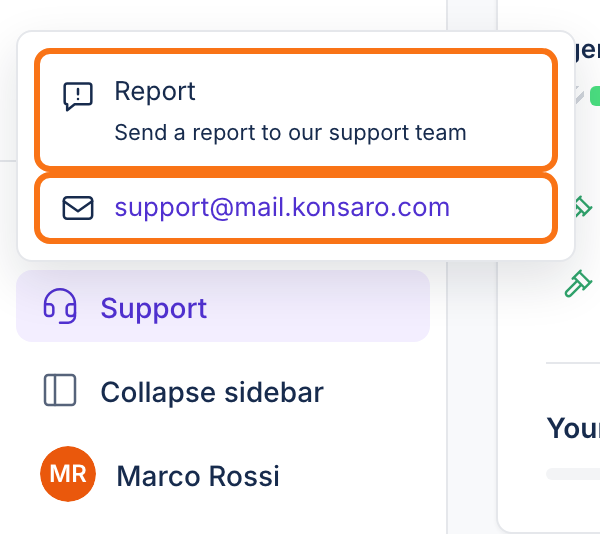
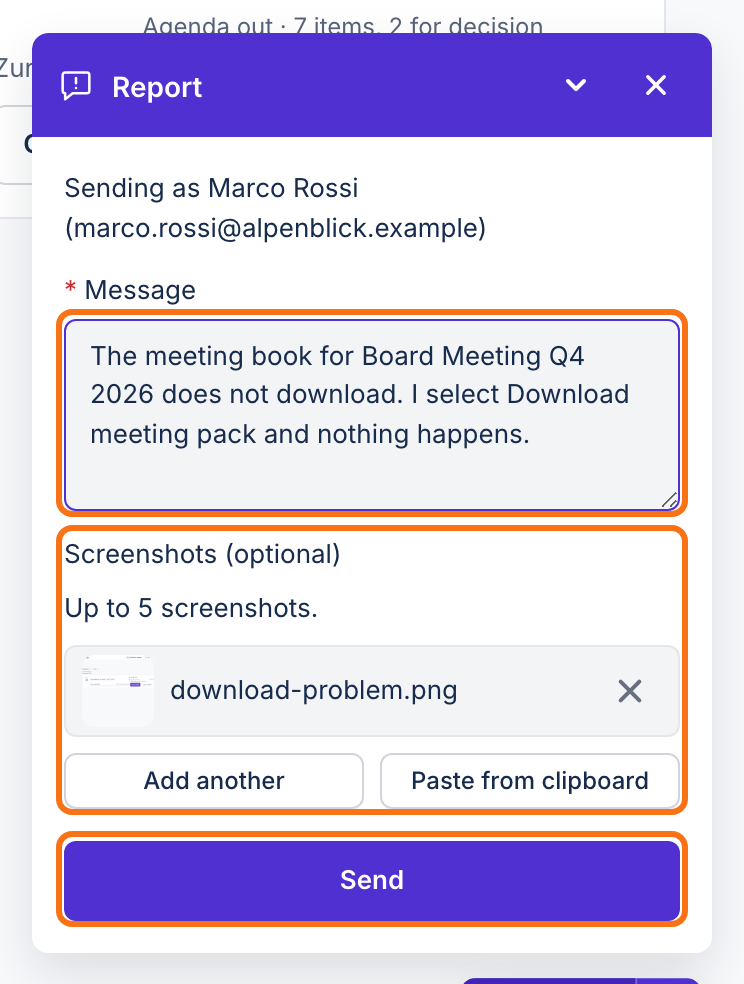
You can also open the form from search: press Ctrl K or ⌘K and choose Report a bug. A Report button also sits in the bottom-right corner of most pages, and in the header on meeting pages.
Write an email or use the contact form
You can always write to support@mail.konsaro.com. In the app, select Support and then the email address to open your mail program.
- Write from your work email address, ideally the one you sign in with.
- Name your organisation and, if it is about a specific meeting, the board or committee and the meeting date.
- Describe what happened, step by step, and add the exact error message.
- Send the message. We reply to the address you wrote from.
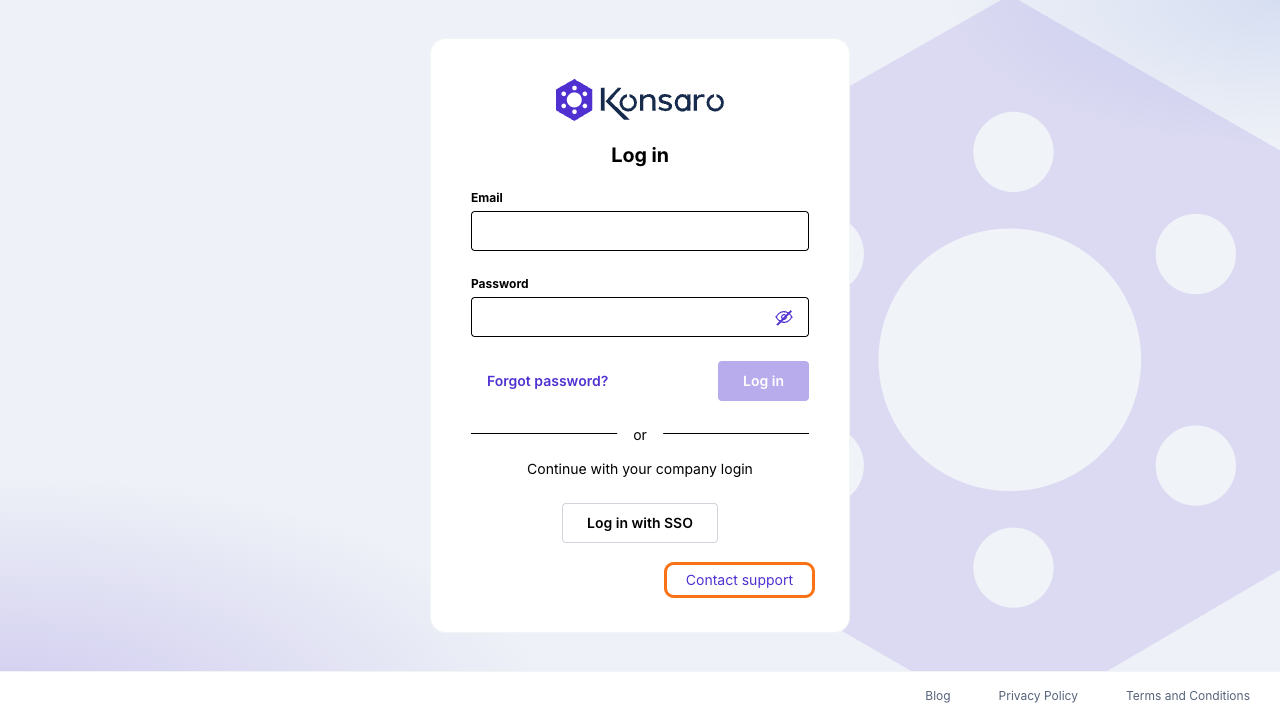
If you cannot sign in, select Contact support on the Konsaro sign-in page, or Help Center › Contact support in the app. Both open the contact form on konsaro.com.
Is Konsaro down?
Service status in the Trust Center at www.konsaro.com/trust/status shows whether Konsaro can be reached right now. In the app, select Help Center at the bottom of the sidebar and then Konsaro System Status. Check it first if Konsaro does not load for you or for several people at once.
Security issues and demos
To report a suspected security issue or a privacy concern, follow Report a concern in the Security and privacy section. If you are evaluating Konsaro for your board, request a demo on konsaro.com.
Was this page helpful?