
Who can see what
Who sees unpublished and published meetings, restricted papers, your private annotations, votes and the audit log.
In Konsaro, what you see depends on the boards and committees you belong to, your role in each, and any access restrictions the board office sets on a meeting, an agenda item or a single paper. This article explains the rules.
Boards, committees and roles
Each board or committee is a separate space with its own members. Being a member of one gives you no access to another. Within each space, your role sets what you can do: chair, board member, board office, guest or organisation admin.
- Chair and board office prepare meetings, publish agendas and materials, and manage who has access.
- Board members read the published materials, join meetings and vote where they are asked to.
- Guests see only the meeting they are invited to, either all of it or only the agenda items they are invited for. Organisation admins decide whether guests can be invited at all and which roles may invite them.
- Secretaries can be linked to a board member and prepare meetings on their behalf. They see what that person sees, never join meetings themselves, and the audit log records when they act for someone.
Meetings and papers
- A meeting that is not yet published is visible only to the people preparing it: the chair, the board office and organisation admins, plus anyone the draft is shared with or who is asked to approve it.
- Once published, the meeting and its papers are visible to the members of the board or committee. If the board office restricts the meeting to invited people, only its participants see it.
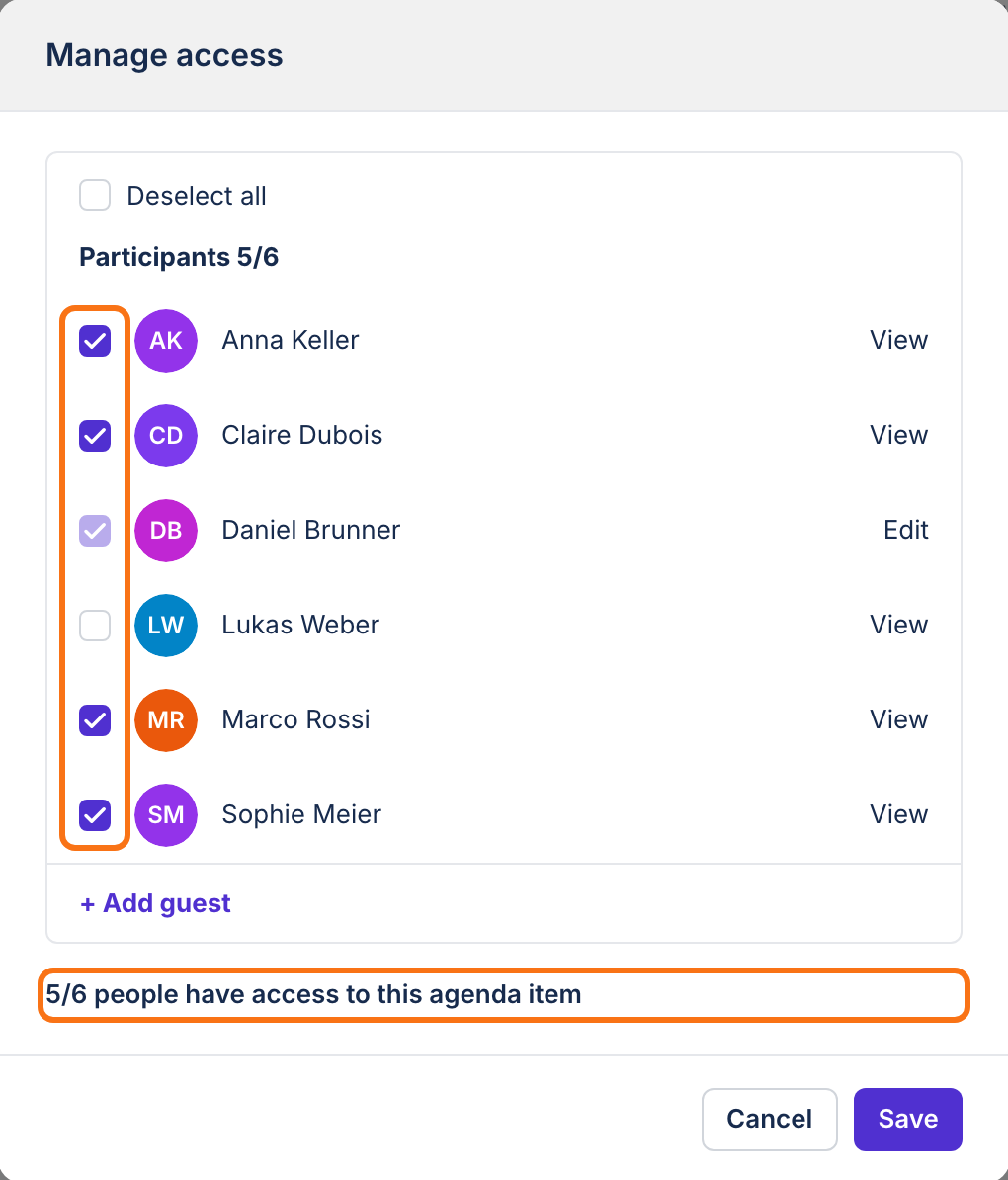
- The board office can restrict a single paper or an agenda item to named people, for example when some participants have a conflict of interest.
- Each paper has a security level: full access, watermark (pages show the reader's name in the viewer), no printing, or view only. Only the people who manage the board or committee can download view-only papers.
Your own notes and votes
- Annotations, highlights and notes you add to board papers are private. Only you can see them. The one exception is a page tag in the meeting view that you set to Everyone.
- Votes are recorded by name. The decision record shows how each member voted and when.
- Draft minutes are shared only with the people the board office selects for review. Published minutes are visible to everyone who can open the meeting.
The audit log
The audit log records sign-ins and failed sign-ins, changes to memberships, permissions and settings, votes, documents added or deleted, downloads and data exports, and the first time each person opens a meeting paper. Each entry keeps the IP address, browser and device. Organisation admins can view and export it, and nobody can edit or delete it.
Check what applies to you
- Sign in and open the board or committee you want to check.
- Open the meeting. If it does not appear, it is not published yet or you are not a participant.
- Open the agenda item and its papers. A paper you cannot open is restricted to other people.
- If something looks wrong, contact your board office and name the meeting and the agenda item.
Was this page helpful?